
How to Get Dangerously Good at Selling
Build a sales toolkit for your next release, then sharpen it with five real calls.

AI products and features are arriving faster than buyers can evaluate them. If you’re bringing one to market, give buyers a reason to pay attention. Show them what it changes in a job they already have, then give them a way to see it work.
At Myosin, we help technical teams launch products and build the systems their teams use to sell them. We’ve done that work from different sides, from giving ether.fi’s app release a clear story to helping Slip Robotics build the go-to-market system for a new category.
If you’re a founder selling what you built or a marketer who owns the launch, start with one release and one upcoming sales call. Open your release notes and a shared document. Each step below gives you something to put in that document, from the first line you’ll say to the test you’ll ask the buyer to take part in. Use the toolkit to prep for the call, then update it with what you hear.
Download Myosin’s guide, How to Get Dangerously Good at Selling.
Upload it to your favorite AI assistant along with your release notes. Ask it to walk you through the exercises one at a time and turn your answers into a first draft of your sales toolkit. Share the draft with your team and pick one thing to try on your next sales call.
Before the call, build the case from what shipped
1. Choose what leads
Start with the first thing a buyer can do differently. If you shipped several improvements together, pick the one that changes a job the buyer already has. You can bring in the rest of the release as the conversation develops.
We faced a version of this with ether.fi Summer. The team was rolling out an upgraded app, new borrowing options, and stocks and gold trading. We gave the release one story on launch day, then spent the following weeks explaining individual features and showing how people were using the product. In a sales call, make the same choice for one buyer. Which part of the release deserves their attention first?
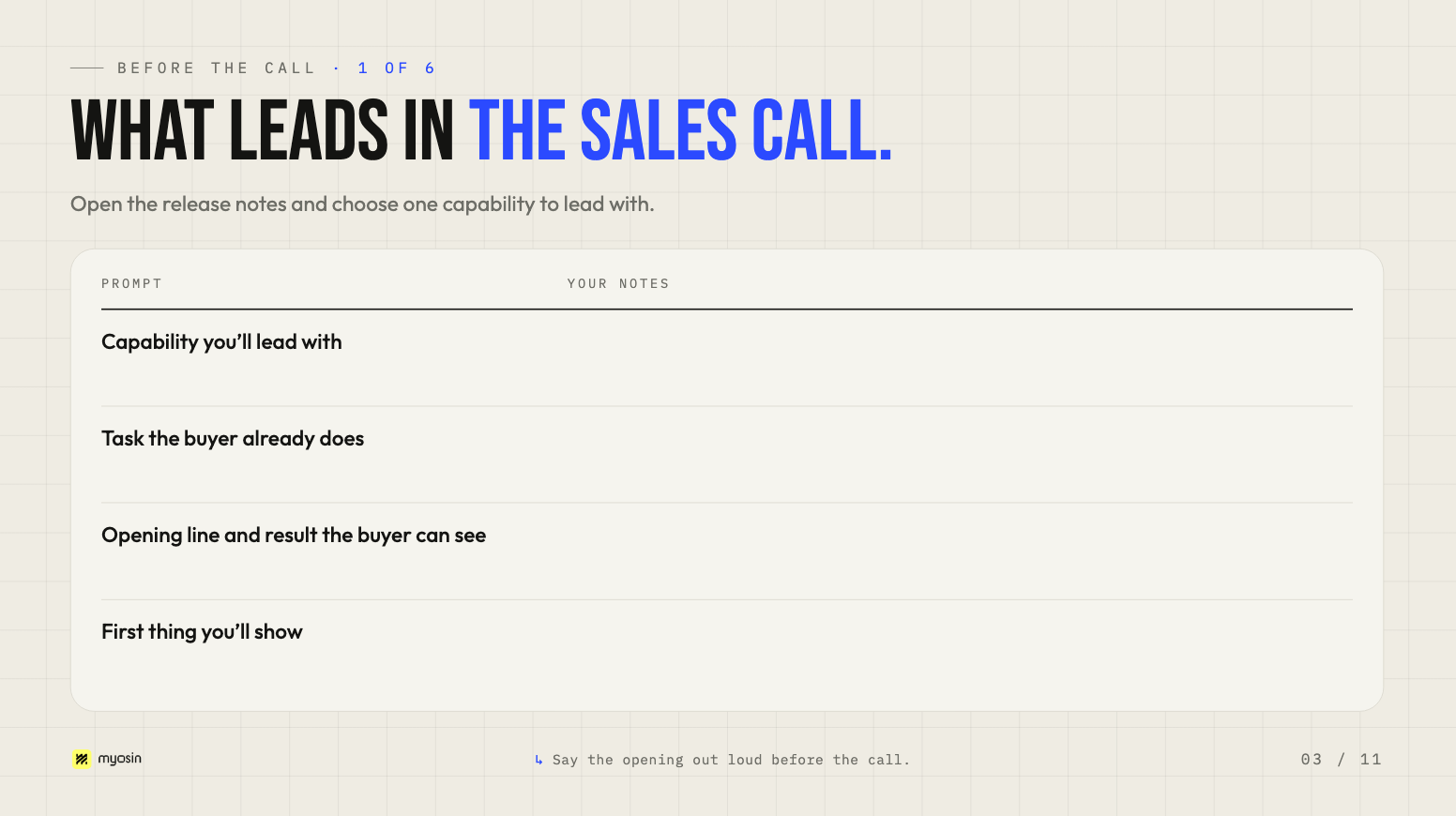
Add to your toolkit. Open the release notes and pick the capability you’ll lead with. Write one sentence that explains what the buyer can do differently because of this release. Name the task they already do and the result they’ll be able to see. Then write down the first thing you’ll show to make that result concrete.
2. Find the buyer who has a reason to act now
Look at your paying customers and recent sales conversations. Who owns the work this capability changes? What happened that made it worth their attention? How are they handling it today?
Talk to the person who does the work and the person accountable when it goes wrong. What does each notice? Look at what happened just before a customer decided to do something about it. That gives you a better starting point than a job title alone.
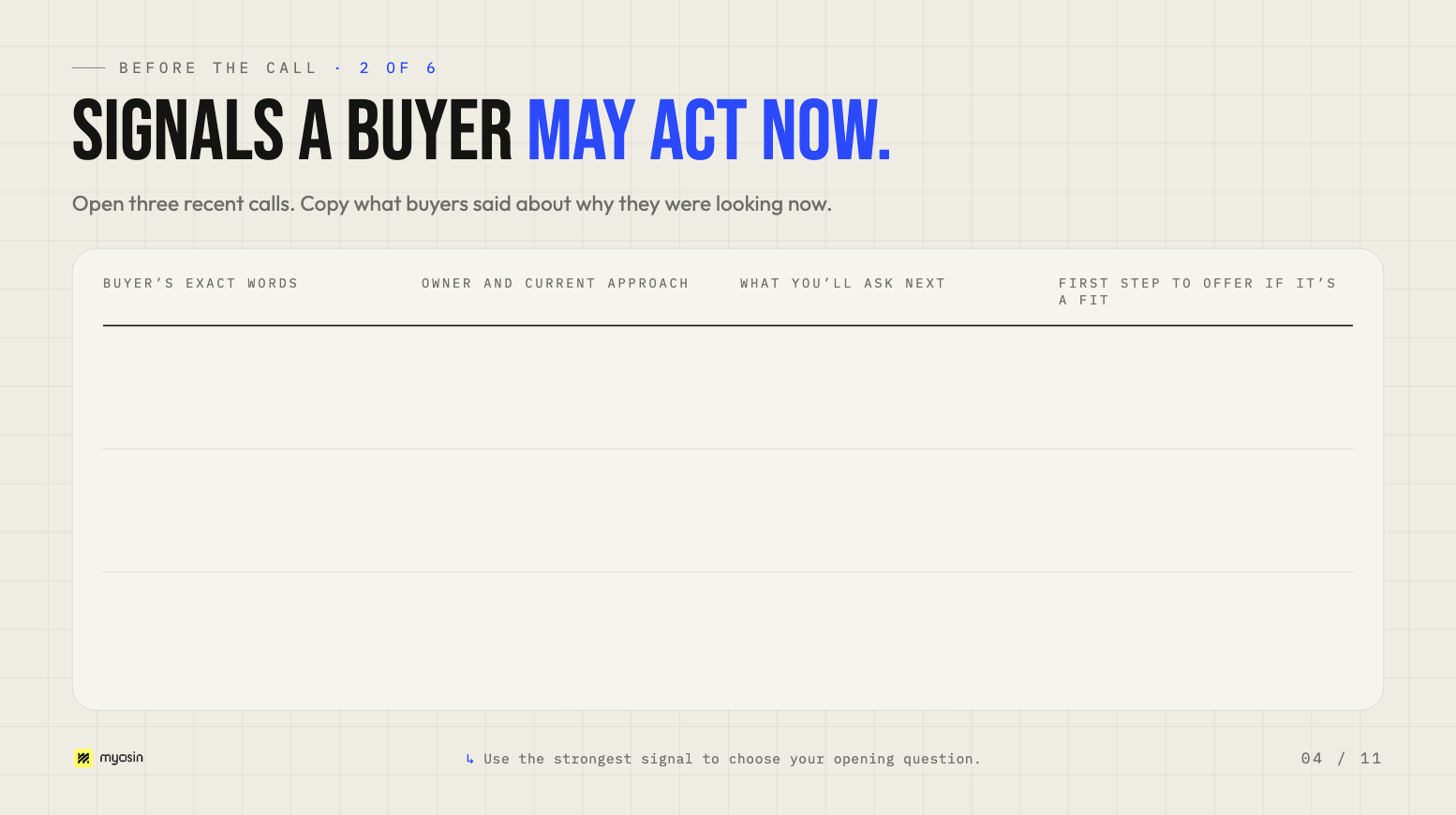
Add to your toolkit. Open three recent sales calls. Find the moment each buyer explained why they were looking now. Copy their words into the first column. Record who owns the work and what they use today, then write the question you’d ask to confirm the problem and the first step you’d offer if it’s a fit. Use the table to pick an opening question for your next call.
3. Bring proof that fits the buyer’s situation
Ask what your evidence actually shows. A customer story can show what happened in a similar operation. A live demo can show the capability working today. A test with the buyer’s input can answer a question about their environment.
At Slip Robotics, seeing an autonomous robot load or unload a trailer in roughly five minutes makes the product’s value tangible. Our work with Slip connects account signals, relationships, and customer proof so the team can bring relevant evidence into the right buyer conversation. For your call, pick the example that helps this buyer see where the product would fit and what they could expect. See Myosin’s work with Slip Robotics.
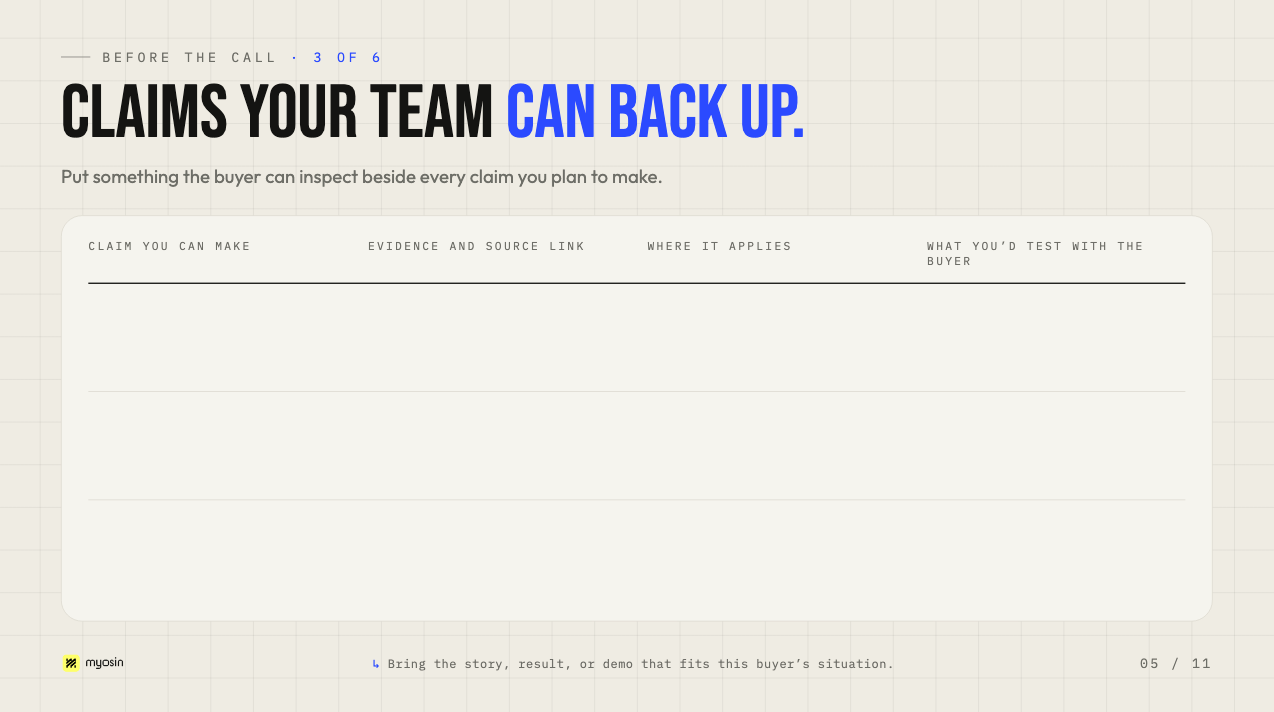
Add to your toolkit. List the claims you expect to make on the next call. Beside each one, link the customer story, measured result, or demo that supports it. Note where the evidence applies so another seller knows when to use it. If the evidence leaves a question about the buyer’s data, team, or tools, write down what you’d need to test with them.
On the call, make the case for this buyer
4. Start the demo where their work gets hard
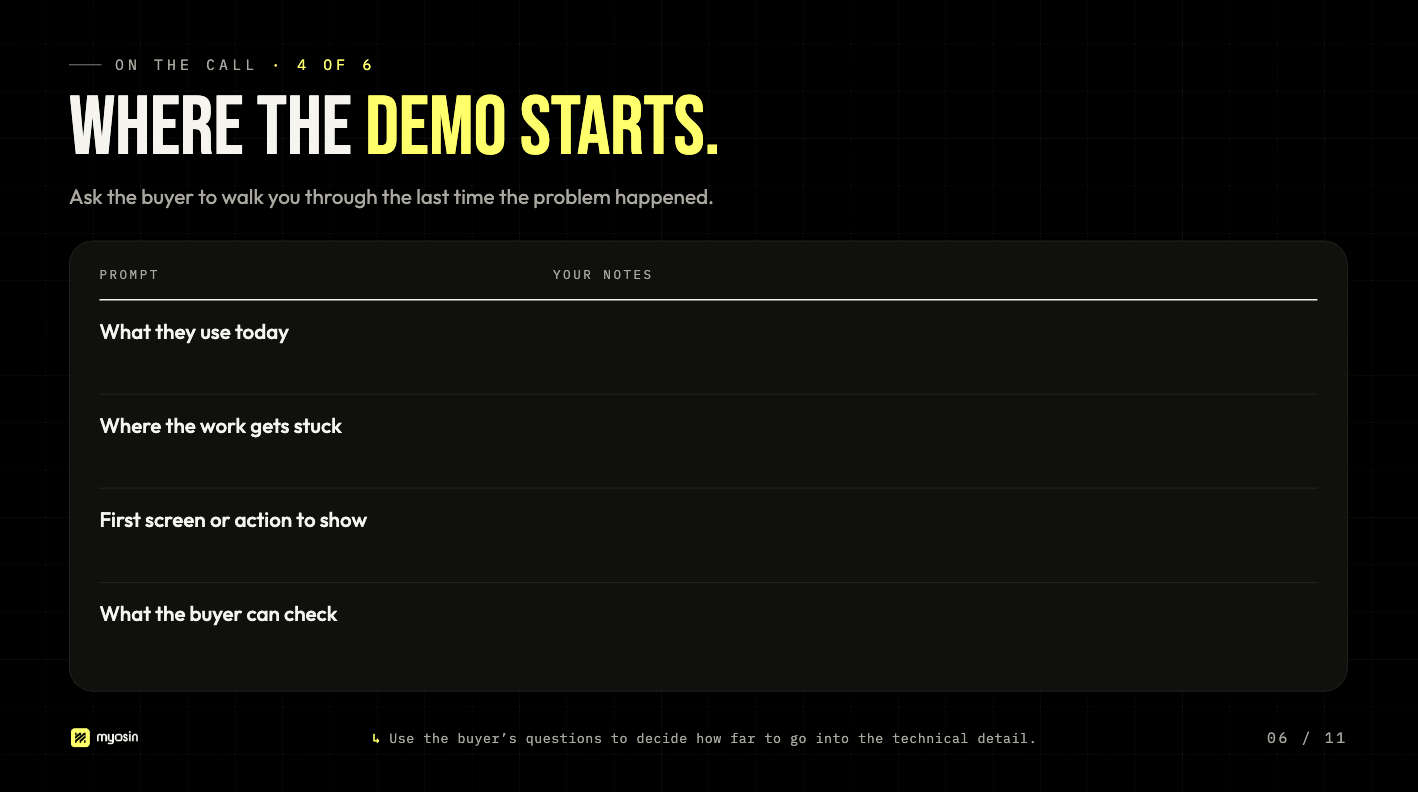
Ask the buyer to walk you through the last time the problem happened. What were they trying to get done? Where did the work get stuck? Who stepped in? Find out what their current approach handles well. That will help you decide where your product needs to fit and where to start the demo.
Start with the part of the work the buyer just described. Show what a person would do, what they’d see when it’s done, and how they’d check the result. When a buyer asks how something works, use the question to decide which technical details to get into.
Add to your toolkit. Write a short demo plan with the buyer’s current approach, where it falls short, the first action you’ll show, and what they can check afterward. Beside it, capture one objection you’ve heard on a real call. Write a response that acknowledges what their current approach does well, explains where your product fits, and points to evidence you can share.
5. Leave with a named workflow, an owner, and a test
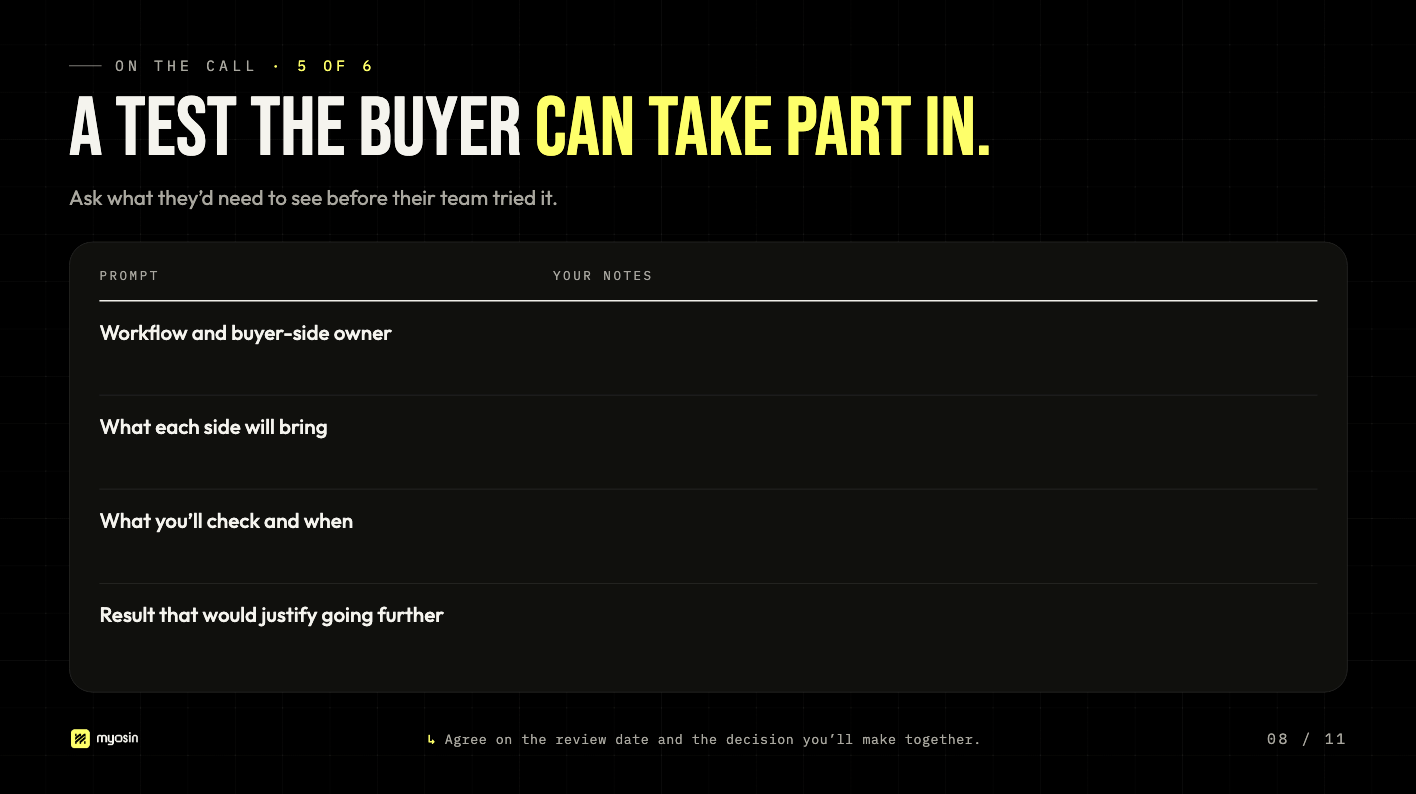
Ask, “What would you need to see before your team tried this?” Use the answer to design the smallest test that can resolve the question. Agree on the workflow you’ll test, who owns it, what each side will bring, and when you’ll look at the result together. Write down what you’ll check so both sides know what they’re trying to learn.
Add to your toolkit. Put the workflow, its owner, what each side will bring, and the review date in one short note. Agree what result would lead you and the buyer to go further, adjust the test, or stop.
If the person who owns the work is missing, agree who will bring them into the conversation. After the call, check what actually happened. A recap you send and an input the buyer provides tell you different things about where the evaluation stands.
After the call, use five conversations to improve how the team sells
6. Pick one change for the next call
Pull five calls at the same stage with similar buyers evaluating the same release. Include calls that moved forward and calls that stopped after the demo. You can reuse the three calls from step two if they meet those conditions. Use transcripts or notes to capture what buyers said, what they needed to verify, and what they actually did afterward. If you have a recording, keep the timestamp so a teammate can hear the exchange.
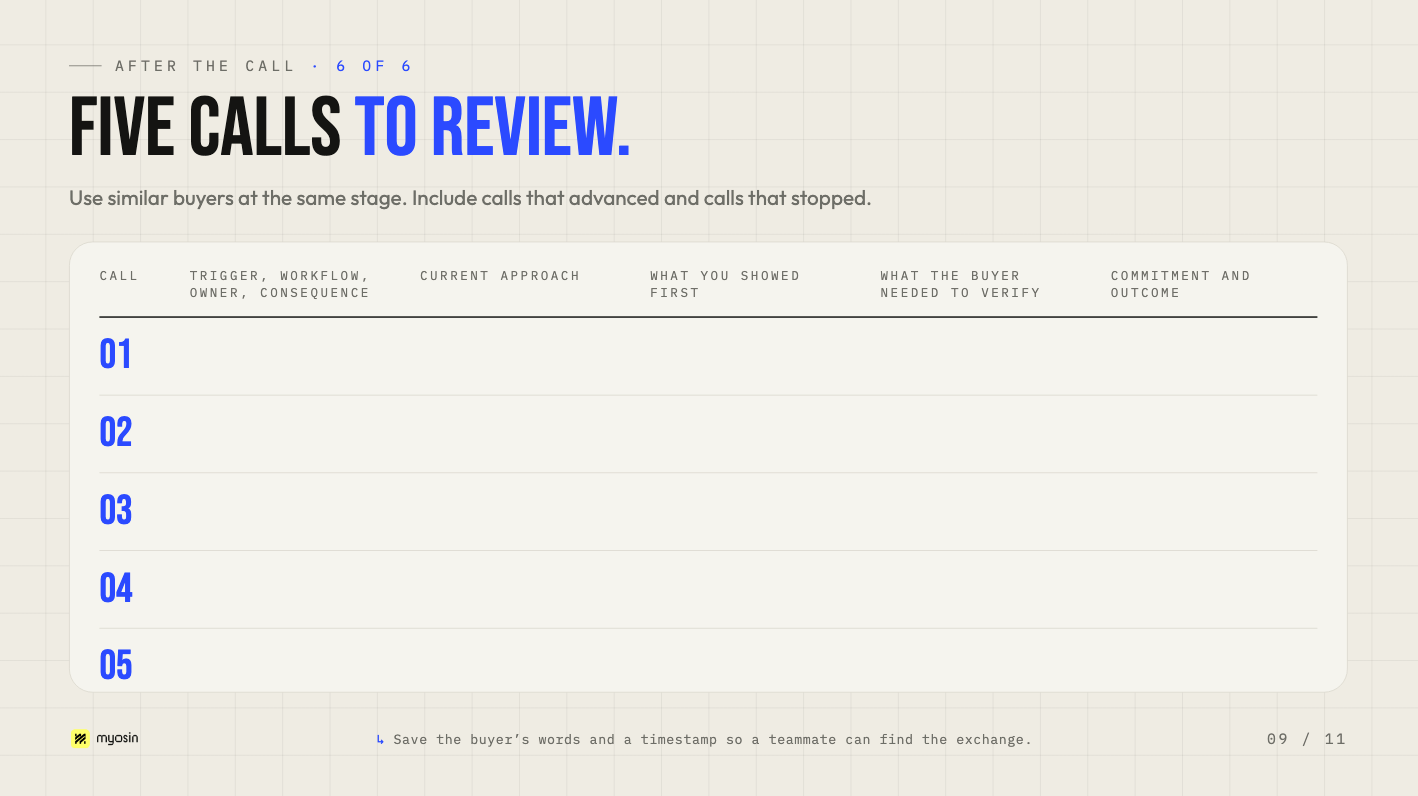
Look for a moment that keeps coming up. If buyers talk about a problem in broad terms, ask for the last incident earlier. If they name a workflow and you only get to it at the end, show it first. If they understand the demo and still raise the same concern, bring better evidence. If every follow-up action belongs to you, ask what the buyer needs to verify and whether they’ll take part in a test.
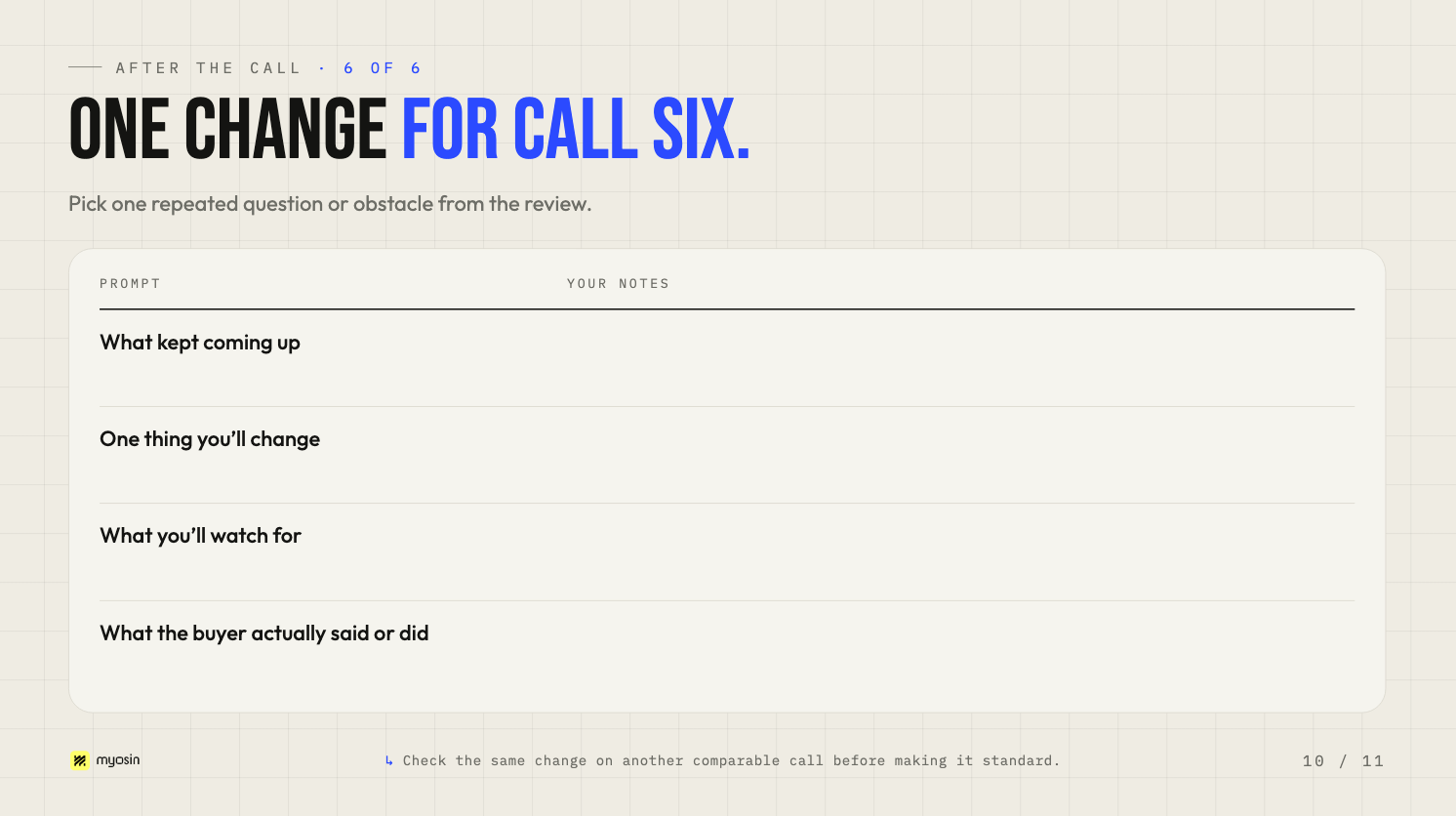
Add to your toolkit. Pick one change for call six and write down what you’ll watch for before the call. If you move a workflow earlier in the demo, listen for whether the buyer connects it to their own work or offers something you can use in a test. Capture their response and check whether the same change helps on the next comparable calls.
When a pattern holds up, update the shared toolkit so the next seller can use what you learned. Give the person who can act on it the buyer’s words and a specific change to make. Sales can update the demo sequence. Marketing can clarify what the launch page leads buyers to expect. Product or solutions can build a test for a recurring technical question. In our Forward Deployed Marketing work, those handoffs are how buyer conversations improve what the team does next. Read how Myosin turns sales conversations into a GTM learning loop.
Open the brief for the next sales call on your calendar. Pull in the opening question, the evidence you’ll bring, and the first action you’ll show. After the call, add what the buyer actually said or did while it’s still fresh enough for the next seller to use.
Build a sales toolkit with Myosin
Download Myosin’s guide, How to Get Dangerously Good at Selling.
We work alongside your team to review sales calls, find where buyers get stuck, and build the messaging, demo plans, and customer proof your sellers need. We’ll test the toolkit on real calls with you and set up a way for your team to keep it useful after launch.


