10x your productivity and presence with our Telegram Guide
Matthew Baggetta
Head of Content, io.net
Dec 8, 2025
The holidays are the perfect time for some digital housekeeping to get your digital workspace in order for the new year. If you're in crypto, you live in Telegram.
But let's be honest: most people get overwhelmed by the constant flood of messages, or lose track of important contacts, threads, or groups. If you don’t pimp your TG, you're not going to make it.
Getting Started: Activate Folders
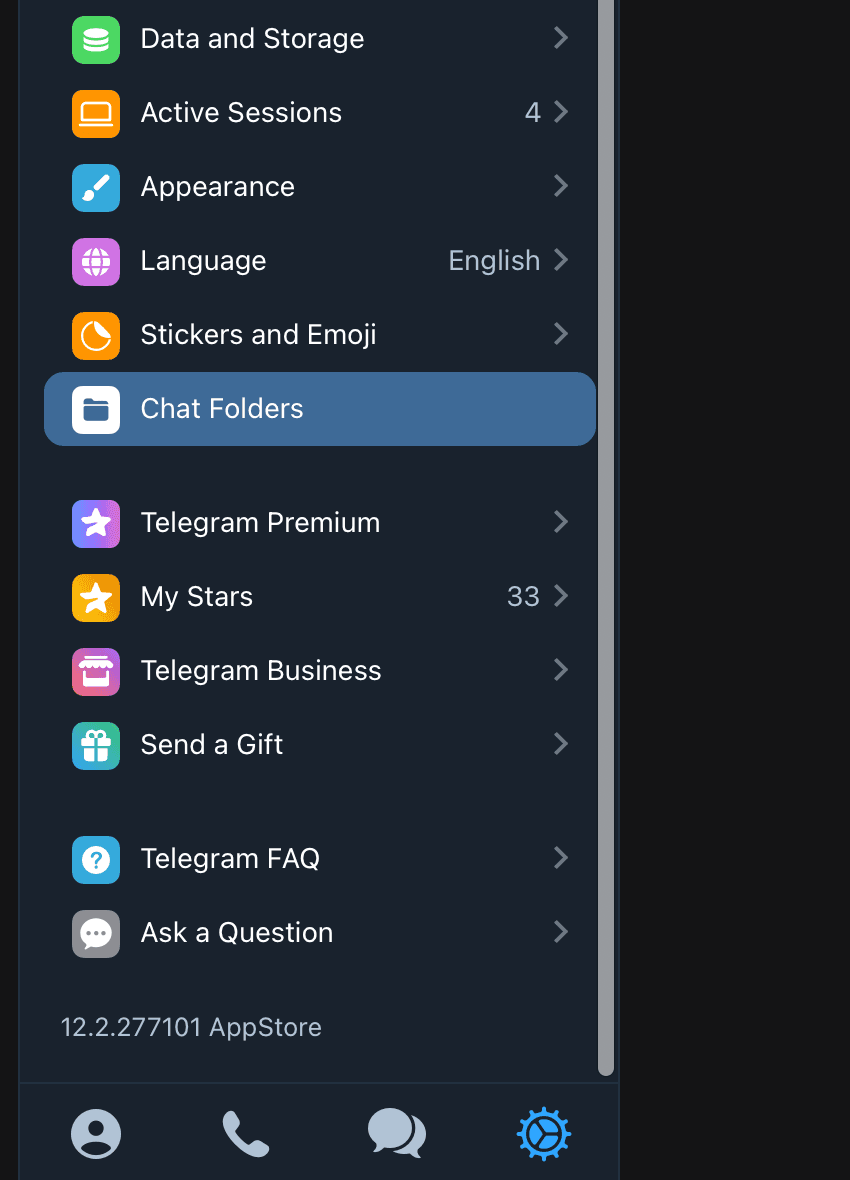
First things first: go into Settings and activate Folders. Once you do that, you're ready to build a system that actually works.
Essential Folders to Create
1. DMs Folder (Personal Messages)
Create a folder specifically for one-on-one conversations. Here's how to set it up:
Filter out all group chats
Filter out all announcement channels
Keep only direct messages with individuals
This folder becomes your command center for personal conversations, ensuring you never lose track of important one-on-one discussions.
2. Unread Folder
This is your daily workflow hub. Set up filters to show:
Only unread conversations
Exclude archived conversations
Filter out bots
Multiple times a day, run through this folder and look for blue dots. Those blue dots mean someone likely added you to something important, so they deserve immediate attention.
3. Additional Organized Folders
Beyond the essentials, customize folders based on your workflow:
Work/Company/Project folder: Keep all professional conversations in one place
Communities: Separate folder for groups you actively participate in
Interest-based folders: Whether it's DJs, gaming, or specific topics, create folders that match your life
TG Pro Tips for Power Users
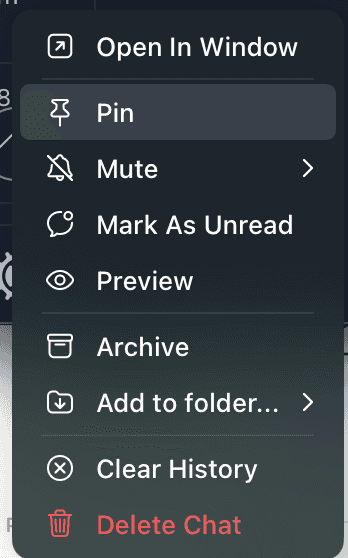
Pin Your Most Important Chats: Even within folders, you can right click, then ‘Pin’ the most critical conversations to the top of each channel. This keeps your VIP contacts always visible and easy to access.
Use the Saved Messages Channel: While not technically a folder, the Saved Messages channel is invaluable. Click on ‘Search’, and use it to send files to yourself, save important links, and keep track of information you need quick access to.

Master Keyboard Shortcuts: Speed up your Telegram workflow with these essential hotkeys:
Ctrl/Cmd + K: Quick chat switcher (jump to any conversation instantly)
Ctrl/Cmd + F: Search within current chat
Ctrl/Cmd + Shift + N: Start new chat
Ctrl/Cmd + 0-9: Switch between your first 10 chats
Ctrl/Cmd + W: Close current chat
Ctrl/Cmd + Shift + M: Mute/unmute current chat
Ctrl/Cmd + Delete: Delete selected messages
Up arrow: Edit your last message
Ctrl/Cmd + Shift + U: Mark as unread
The Blue Dot Strategy: Check your Unread folder several times throughout the day. Those blue dots are your priority signals, often indicating new group additions or important incoming messages that need immediate response.
Advanced Productivity Features
Scheduled Messages and Reminders
Working across global time zones? Stop sending messages at 3am your teammate's time. Hold the Send button in any chat and select "Schedule Message" to automatically send at the right time.
Even more powerful: use scheduled messages in your Saved Messages chat as personal reminders. Need to follow up on a partnership next Tuesday? Schedule a message to yourself. Planning a product launch announcement? Set it and forget it. When the scheduled message is sent, you'll get a special notification so you're never caught off-guard by your own reminders.
Privacy Settings for Public Figures
If you're a founder or executive in crypto, you need to lock down your privacy:
Go to Settings > Privacy and Security
Set "Who Can See My Phone Number" to 'Nobody'
Set "Who Can Find Me By My Number" to 'My Contacts'
This prevents random users from finding your profile via your phone number, essential for avoiding the flood of unsolicited pitches and spam that comes with being visible in Web3.
Stay Calm And Lock In
Telegram doesn't have to be overwhelming. With a simple folder system, smart use of scheduled messages, and consistent habits, you can stay on top of conversations, never lose important messages, and actually get things done.
Set up your folders once, maintain the system daily, and enjoy a cleaner, more productive Telegram experience.
Happy holidays, and happy organizing.


